Last August I purchased and installed a Wi-Fi system aboard Astraea called Wi-Fi for Boats. It’s a kit made by a cruiser computer guy that includes everything you need to get long-range Wi-Fi aboard your boat. I bought the system and tested it by installing it on the stern rail of Astraea.
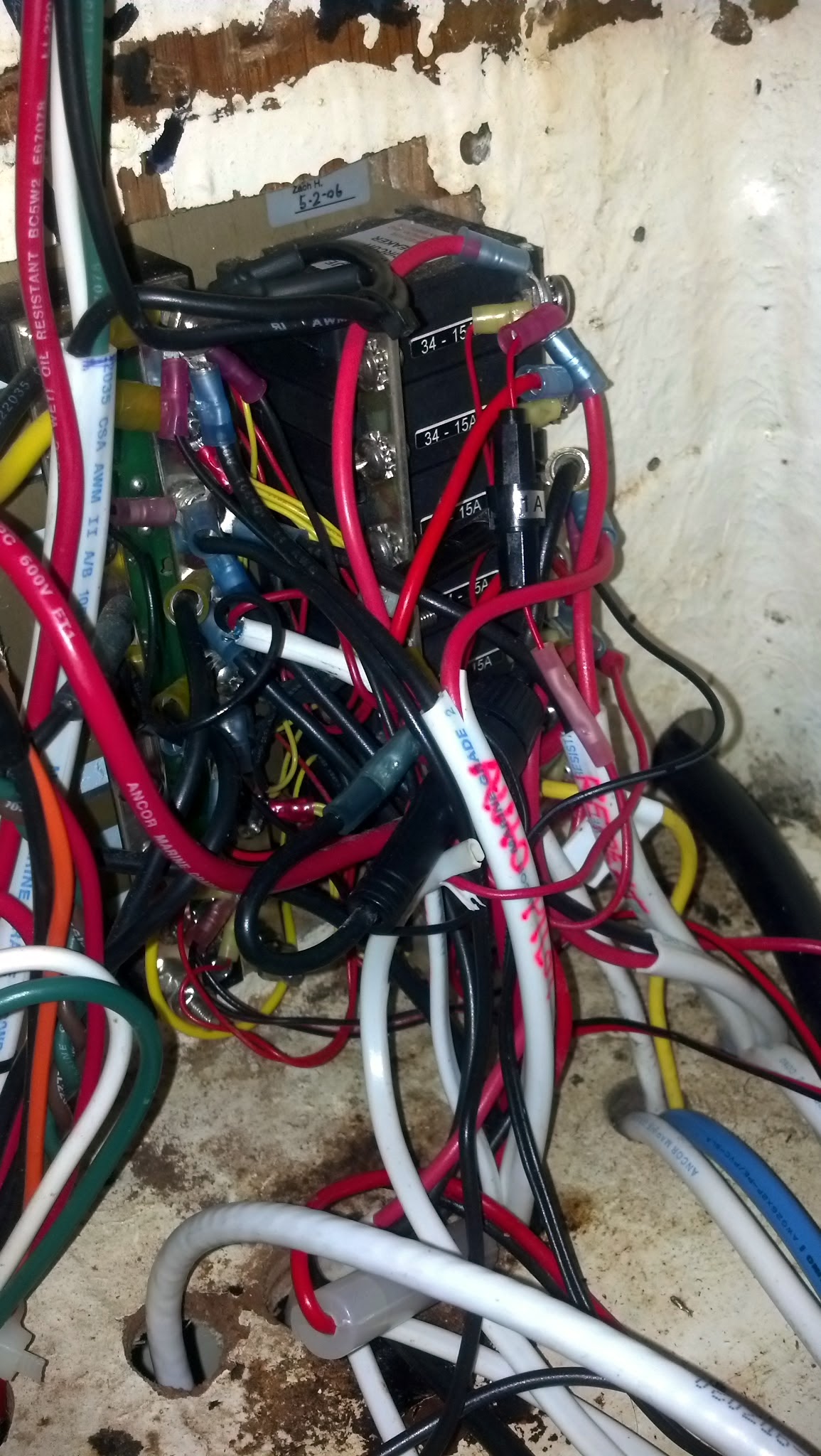
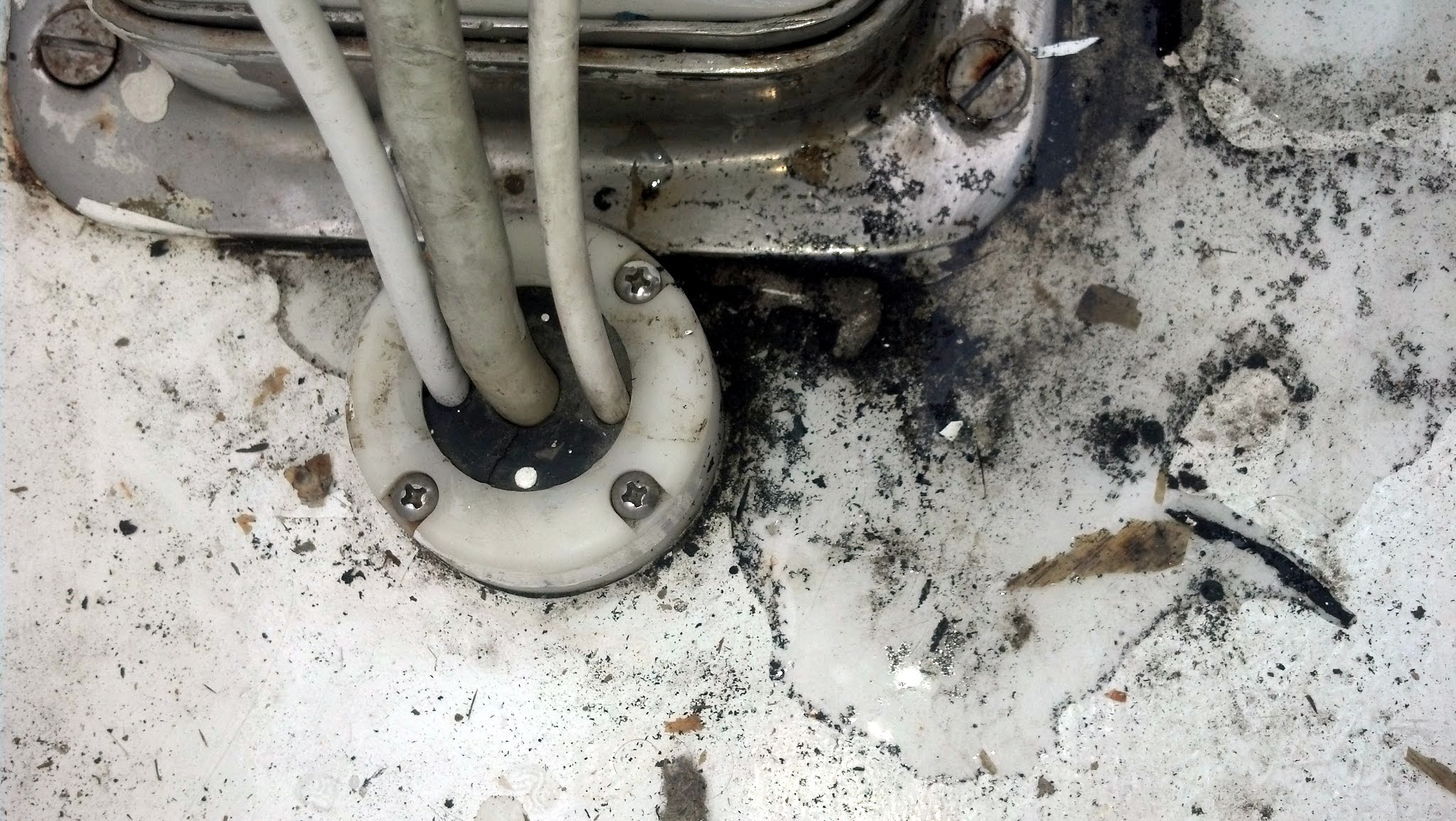
The system is pretty simple for a computer geek/boat nerd like me to install. All I had to do was wire in an extra circuit breaker in to my existing panel and plug everything in. The hardest part was running the wiring through the boat that goes to the external antenna.
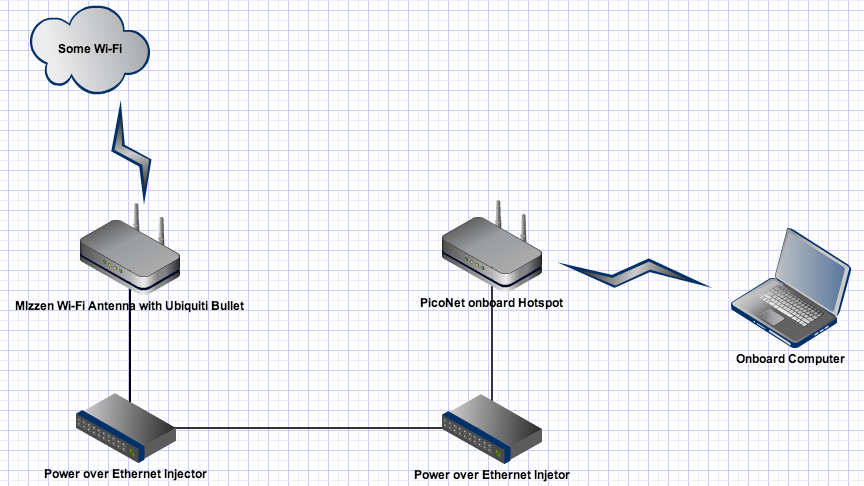
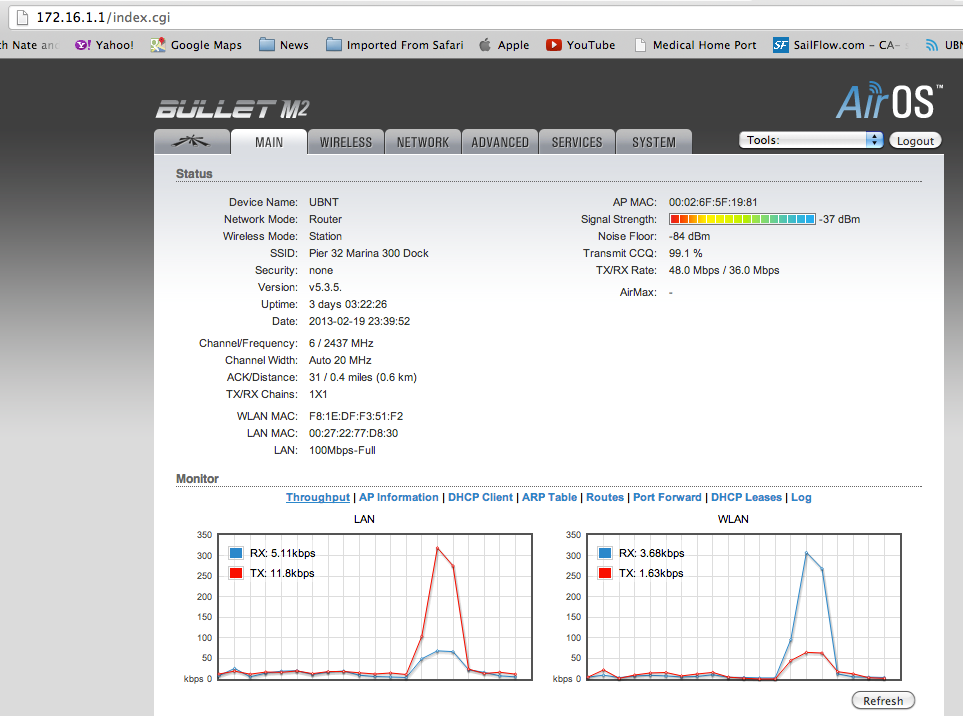
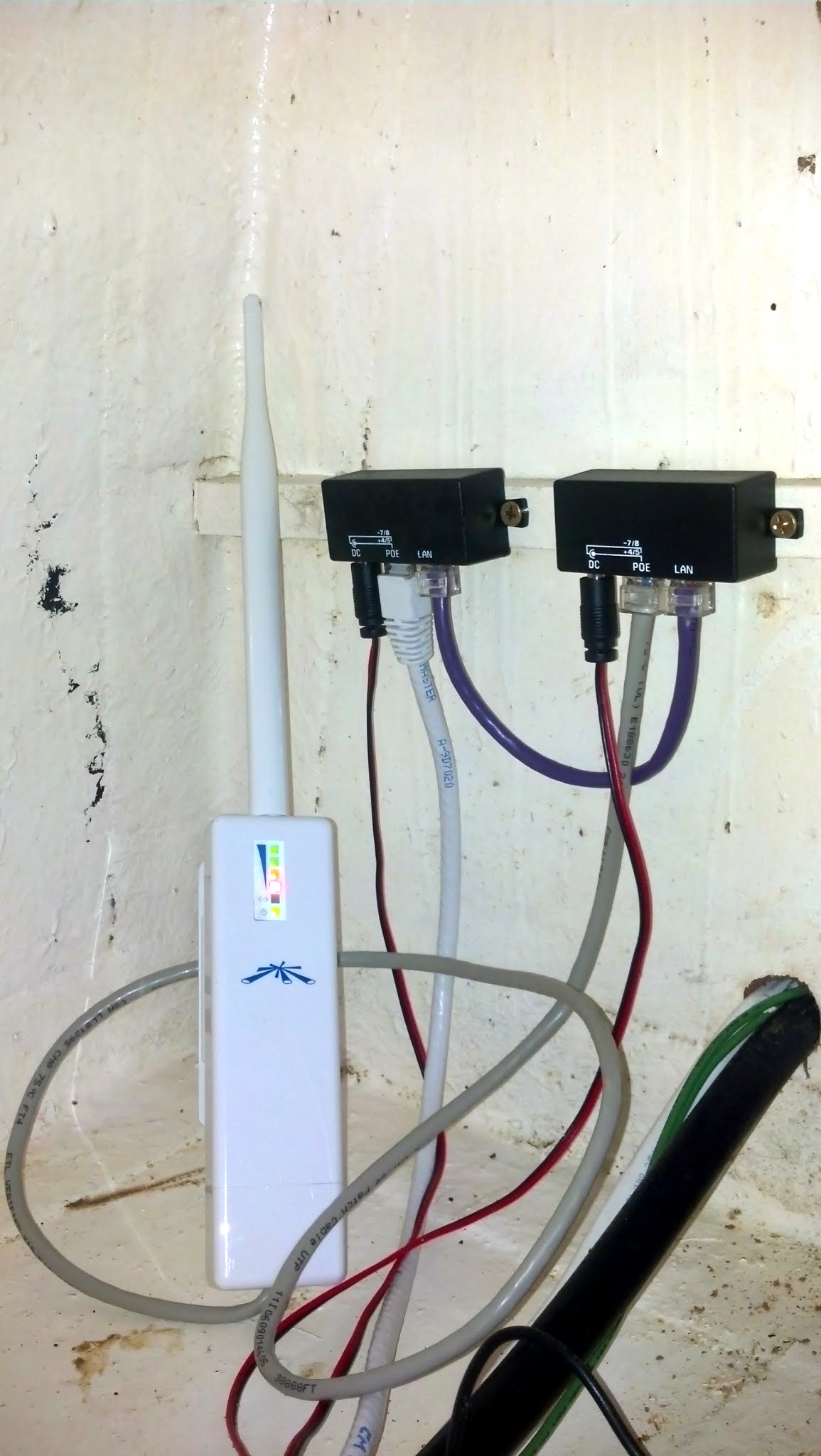
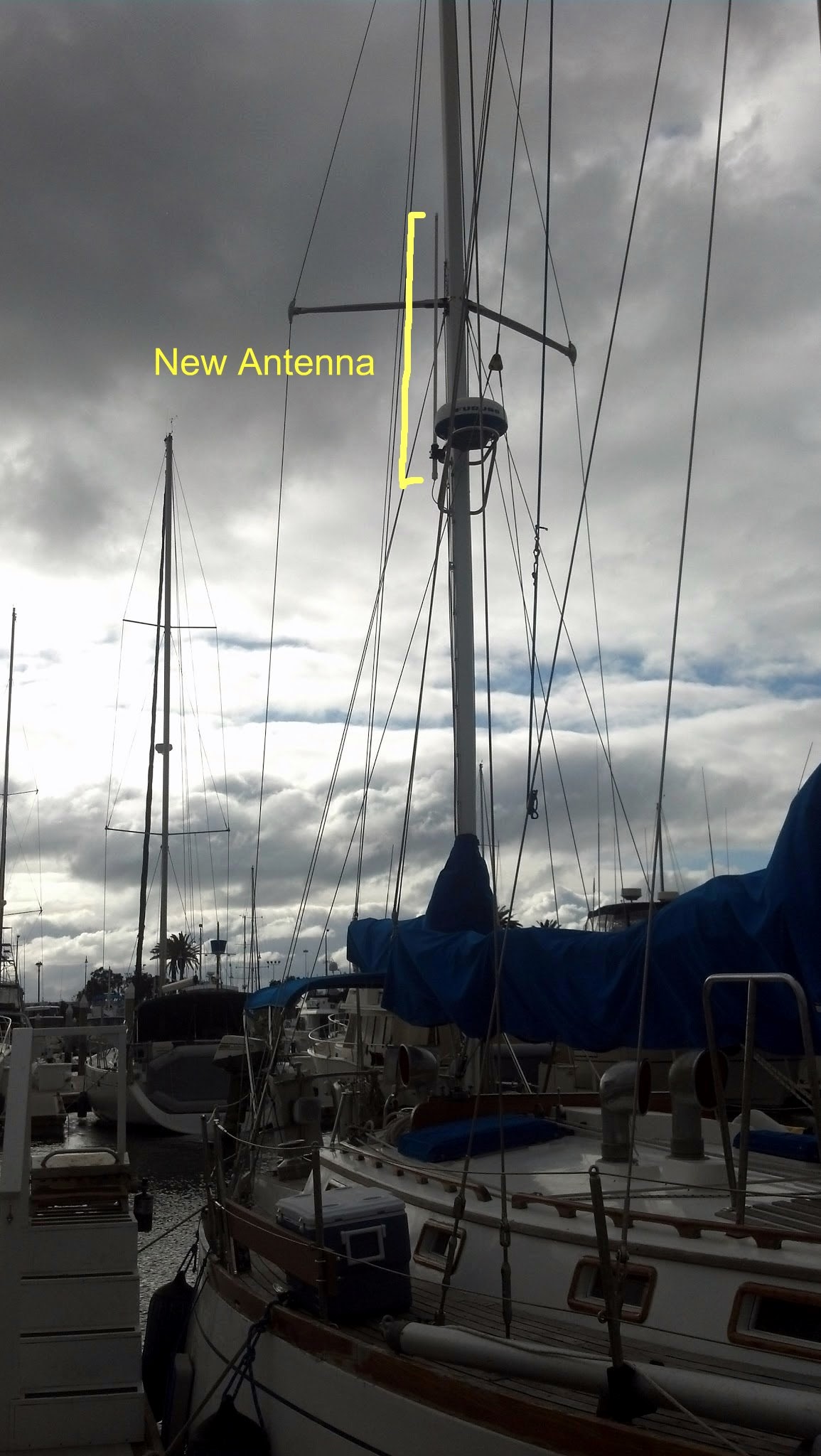
Here’s how it works. The Wi-Fi adapter on the mizzen mast communicates with a shore side station using it’s high gain antenna. That adapter is connected to a Power over Ethernet Injector bridge down in the cabin. The other Power over Ethernet Injector is connected to a PicoNet onboard hotspot that I connect my laptop to to blog about boating awesomeness.
I rerouted the cable through the cockpit sole near the mizzen mast. I connected everything back together to test the system still worked, then went aloft and attached the antenna to the radar arch. The plan is to not use the radar when the Wi-Fi is in use, just in case it overpowers the little Wi-Fi system on the mast since they’re located so close together. The Furuno radar operates at 900MHz and shouldn’t interfere with the 2.4GHz Wi-Fi, but I don’t want to tempt fate and blow one or the other up, so we’ll only use one at a time.
If anyone in the San Diego area is looking to get a great Wi-Fi system installed I highly recommend Wi-Fi for boats. Dalton recently upgraded the system to use a different antenna to take advantage of the latest generation of Wi-Fi. The kit is DIY friendly, but if you need help installing yours I’d be glad to help, for a reasonable fee.
Showing posts with label communication. Show all posts
Showing posts with label communication. Show all posts
Thursday, March 14, 2013
Hi-gain Wi-Fi
Nate installs a bazillion dB gain WiFi system on s/v Astraea :



Monday, January 2, 2012
On being courteous
Steve and Lulu on s/v Siempre Sabado have found an interesting solution to the courtesy flag problem. What courtesy flag problem? Well, read on...
It's a requirement in Mexico, and probably every other country, for visiting vessels to fly the flag of the host country. This is called a "courtesy flag" and is a sign of respect. You fly your own country's flag as well but the courtesy flag should be higher and at least as large as your own ensign.This may not be a viable solution in other places, but it sure looks like a great answer in Mexico!
Now, it's not much of a sign of respect if the courtesy flag is all tattered and faded and that's something that doesn't take long in this climate. Constant exposure to the UV rays of the sun combined with flapping against shrouds in the wind, and flags get beat up pretty fast. We've already worn out two. And they're fairly expensive. A decent one can run you $15-$20 US or more, depending on size.
We think we've come up with a viable solution. You sort of need a sewing machine to make it work, though.
We were having lunch at The Shack one afternoon when we noticed a piece of fabric flying from the rafters. It was about 5' wide and maybe 6' long and sported 6 Mexican flag prints in that area. All you'd need to do to make flags would be to cut the fabric into flag-size pieces, hem it, add a couple grommets and you'd be good to go.
We managed eventually to find the right fabric store and bought enough fabric for 10 flags. Total cost: $5.00 USD.
Our old flag:
And that was after Lulu had repaired it once.
A couple hours of cutting, ironing, pinning, sewing, and grommeting and this is one of our 10 new flags:
They won't last a real long time, being fairly lightweight, but, at fifty cents each, we can live with that.


Monday, March 21, 2011
Reach out and touch...
Please welcome new contributors *V* and *L* from s/v Letitgo! In this post they describe how to build a "marine" Alpha wireless antenna, without paying the "marine tax". I can assure you we will be hearing more from them!
How do we build a Wi-Fi long range device?
First of all we search on the net what everybody else does, and find out that for $250 we get you a “marine” magic box with an Alpha thingy plus an 8db gain antenna in a pelican box. Now we know that unsecure network are getting rare around the world, but still when you are anchorage or at the back end of a marina you may need a little boost even for a paid one.
After a few minutes of research on the net, we found with data Alliance, the kits we needed:
- 1 Outdoor Enclosure for Alfa AWUS036H / AWUS036NH combined w/ 9dBi Antenna & 5-meter USB Ext Cable (Active)
- (10-meter: Increases kit price $6 to $33.99 total) @ $33.99 = $33.99
- 1 Alfa AWUS036H 1000mW USB Wireless WiFi Adapter + Antenna. Long-Range. Upgrade from 500mW @ $25.99 = $25.99
Attention this is not a water proof but weather proof, so we added a rubber gasket (home depot $1.09) and some generous silicone application. To hook it up to a lifeline or for us to the boom, we added two stainless snap hook (home depot $4). Total $65.07 for a system we can leave outside and bring with us, when we go on shore and need to get into that coffee shop network without having to be inside or seating just outside on the curb. People are too quick to judge you, when you stay in that posture, done it before no more!
Now for the hard part, you didn’t think it was all going to be easy. You need to get that antenna inserted into the gasket, a very tight fit. At home we have a fancy “organic” Dishwasher liquid not the best for that application. So now we just had to ask “our neighbour” for some Vaseline and look what we got! We know, for anybody who is ever going to see this box on our boat, it will bring a smile.
From our condo, the first comparison show that we jump from 6 networks available to more than 30. We will have to test the generosity of our environment in this summer cruise.


Wednesday, January 26, 2011
"Overnight" shipping reprise
My frustration is gone. And if you check with Jane, she will tell you that it was mighty frustration indeed (sorry Jane).
But now all is well. I am now a happy Clearwire camper.

And the hardware is a surprise as well. It is as small as a cell phone (which it probably is, under the covers). And it runs off its own internal battery! My biggest objection to the "ClearSpot" modem was that it ran off of 110V, something in short supply off the dock. It turns out that it is the charger which runs off of 110V.
Insert *BIG* smiley here.
But now all is well. I am now a happy Clearwire camper.

And the hardware is a surprise as well. It is as small as a cell phone (which it probably is, under the covers). And it runs off its own internal battery! My biggest objection to the "ClearSpot" modem was that it ran off of 110V, something in short supply off the dock. It turns out that it is the charger which runs off of 110V.
Insert *BIG* smiley here.
Monday, January 10, 2011
"Overnight" shipping
Here on the end of G Dock at Shilshole, we are having real problems with our normal wireless internet provider.
Faithful as I am, and inertia being what it is, I have well over-stayed with this provider. So, last Monday I signed up with ClearWire (I suspect they are in your city too). Part of the "good deal" I got was free overnight shipping.
Well here it is an entire week from the overnight shipping date, and I still do not have my ClearWire usb modem. I failed to ask "Which night?"
So my small boat project for the day has been trying to establish an internet connection with my old provider that holds up long enough to get this post off.
This is not making me a happy camper. I think I'll open a beer and get out my guitar.
Faithful as I am, and inertia being what it is, I have well over-stayed with this provider. So, last Monday I signed up with ClearWire (I suspect they are in your city too). Part of the "good deal" I got was free overnight shipping.
Well here it is an entire week from the overnight shipping date, and I still do not have my ClearWire usb modem. I failed to ask "Which night?"
So my small boat project for the day has been trying to establish an internet connection with my old provider that holds up long enough to get this post off.
This is not making me a happy camper. I think I'll open a beer and get out my guitar.
Monday, December 13, 2010
Not quite a nuclear power plant, but...

I have found it useful to have a conceptual diagram of Eolian's fuel system, laminated and posted near the valving. Along with labeling the valves, the diagram helps to keep me from (but, sadly, does not prevent) making a valving error.
Monday, November 22, 2010
Into the modern world

You've probably seen these on packaging or elsewhere - it is a 2-D barcode. Because it is two-dimensional, it can encode far more information than the one-dimensional kind (like the UPC codes you see on virtually everything now).
In the modern world, there are apps for your smart phone that can interpret these symbols using the phone's camera. If you have one, try it! This one encodes a URL for a website.
If you are making boat cards, you might want to consider putting one of these symbols on the card somewhere (I put this one on the back of ours). By doing so, you eliminate the need for reading tiny type and remove the possibility of making a typo. You can find any number of online apps for generating the QR code of your choice - just Google "generate qr code".
Saturday, November 20, 2010
Leave something behind
Business folks do it, because it works. When they meet someone, one of the first things they do is exchange business cards. Because th card helps jog the memory, and because it contains all the important contact info.
Why not boaters too? Many do, including us. Avery makes some very nice pre-perfed business card stock that will go thru your printer, and with the right template in you word processor, you can print 10 at a time.

When I first started doing this years ago, I made all 10 on the sheet the same, like business cards. But then I thought, "Why?" Now, I make them all different - its more fun that way.
It's a great little inside project for a crummy weather day.
Why not boaters too? Many do, including us. Avery makes some very nice pre-perfed business card stock that will go thru your printer, and with the right template in you word processor, you can print 10 at a time.

When I first started doing this years ago, I made all 10 on the sheet the same, like business cards. But then I thought, "Why?" Now, I make them all different - its more fun that way.
It's a great little inside project for a crummy weather day.
Subscribe to:
Posts (Atom)


 Posts
Posts


